Compare the price and read the reviews on the product page
On an Amazon, Walmart or Target product page, a small Price.Review card appears with the product’s name: compare that price against other stores, save it to your watchlist, or summarize the reviews. From the popup you can also summarize any product by name — it sweeps a dozen review-rich retailers and reads the actual on-page reviews client-side in your own browser.
Free and open — load it yourself in under a minute (steps below). A one-click Chrome Web Store “Add to Chrome” install is not live yet, so it is not offered as a button.
On the product page itself
Open a product on Amazon, Walmart or Target and the card shows up in the corner with the product name it read off the page — so you can see it got the right thing before you click anything.
Compare prices at other stores
Opens price.review/compare with the product name read off the page, and runs the sweep. You see how many stores actually returned a live price — never an invented one.
Save to my watchlist
Adds it to your watchlist on price.review. That list is a cookie in your own browser for the session: no account, no email, nothing kept on our servers.
Summarize the reviews here
The same on-device summary the popup gives you — verdict, pros, cons and a real average rating, computed on your machine from the reviews on the page.
The card’s one outbound retail link goes to Amazon and is an affiliate link, labelled as one on the card. It links the product you are looking at when Amazon’s own URL names it, and an Amazon search for that product otherwise — we never make up a product code. How we make money.
See it in action
One click on any product page. The extension reads the real reviews and hands you a verdict — here’s the whole flow.
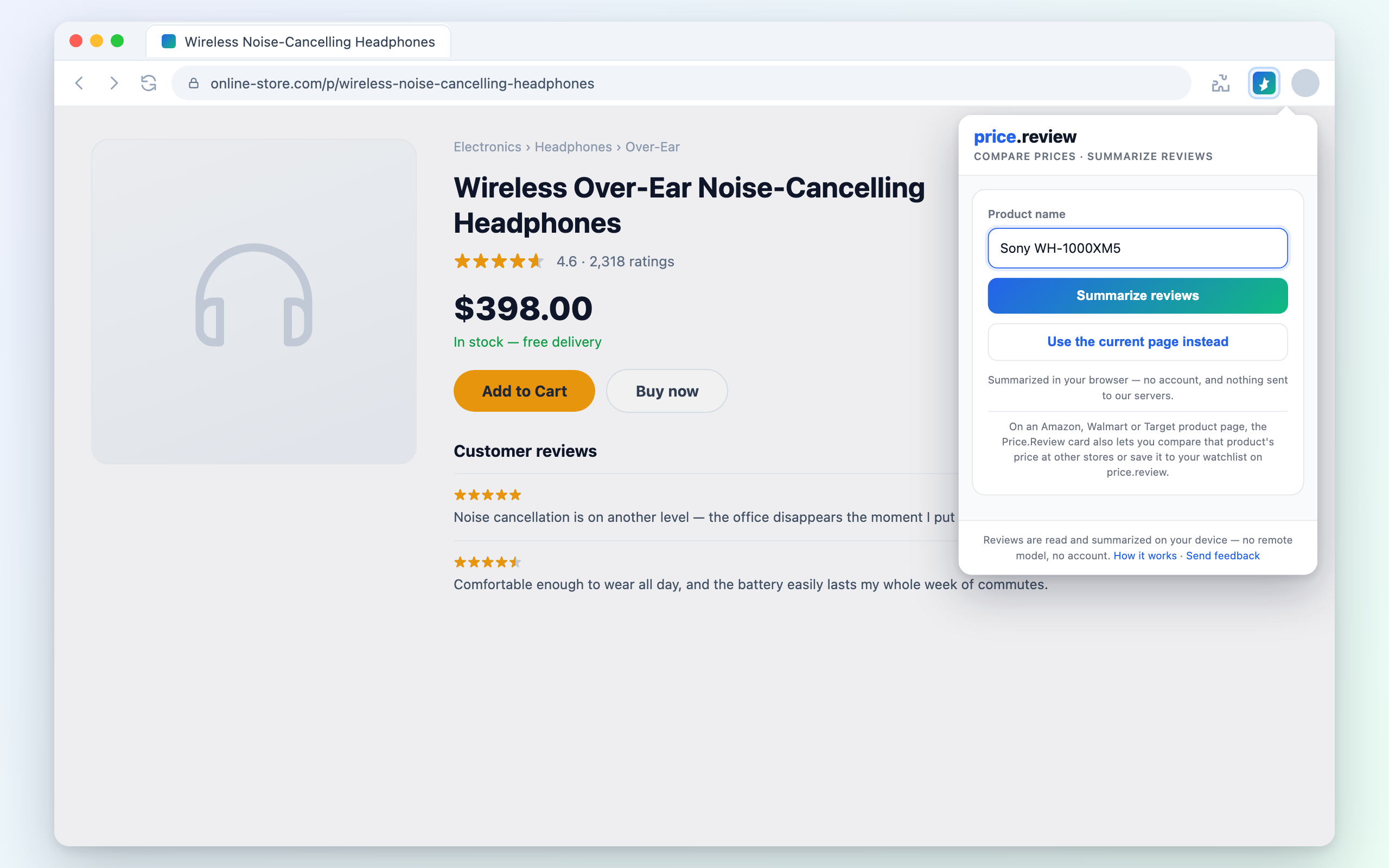
1Type a product — or use the page you’re on
Open the popup, type any product name, or click “Use the current page” while you’re on a product listing.
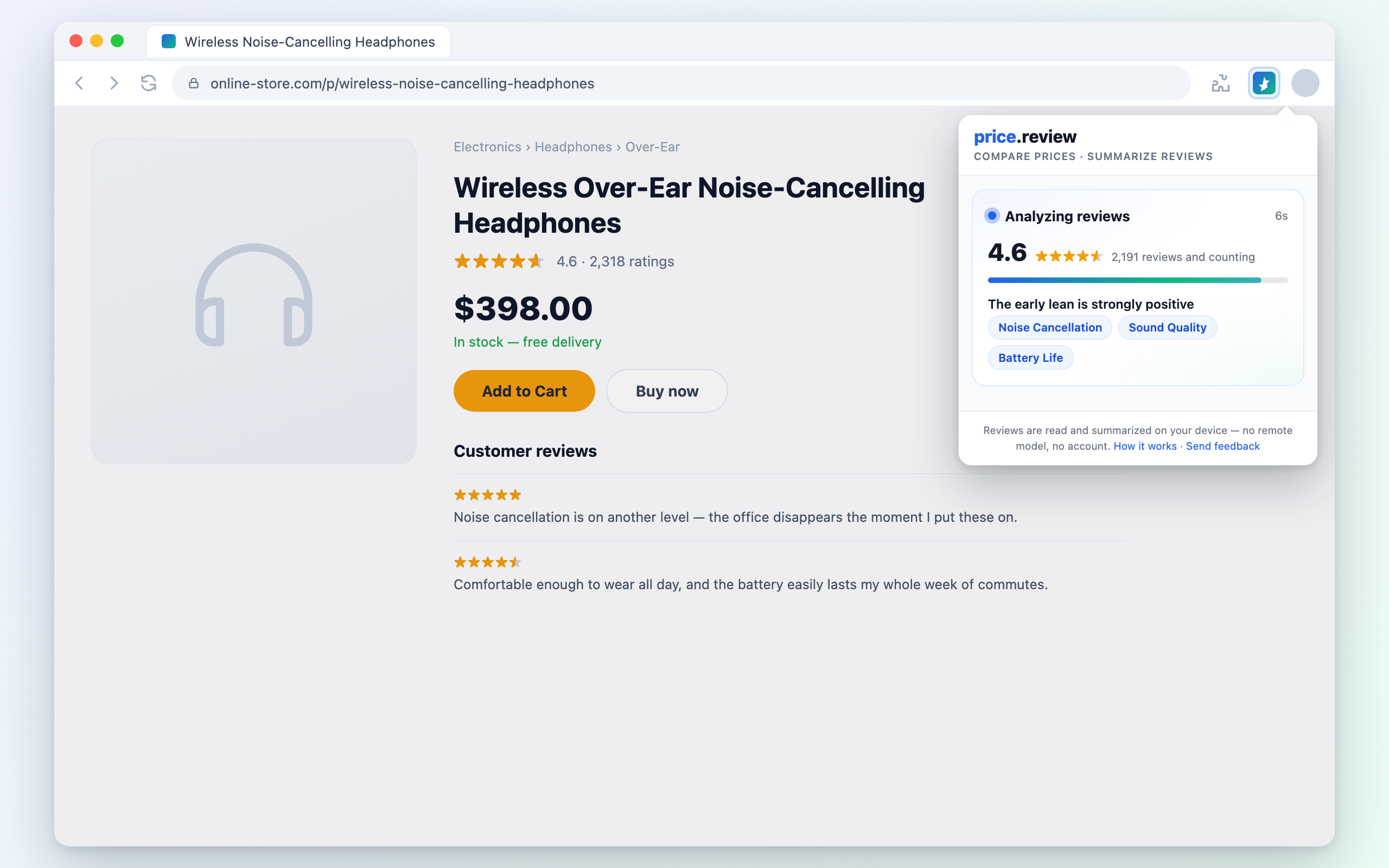
2It reads real reviews across the web
The sweep runs in your own browser, pulling on-page reviews from a dozen retailers. A live rating ticks up as it reads — close the popup and it keeps going.
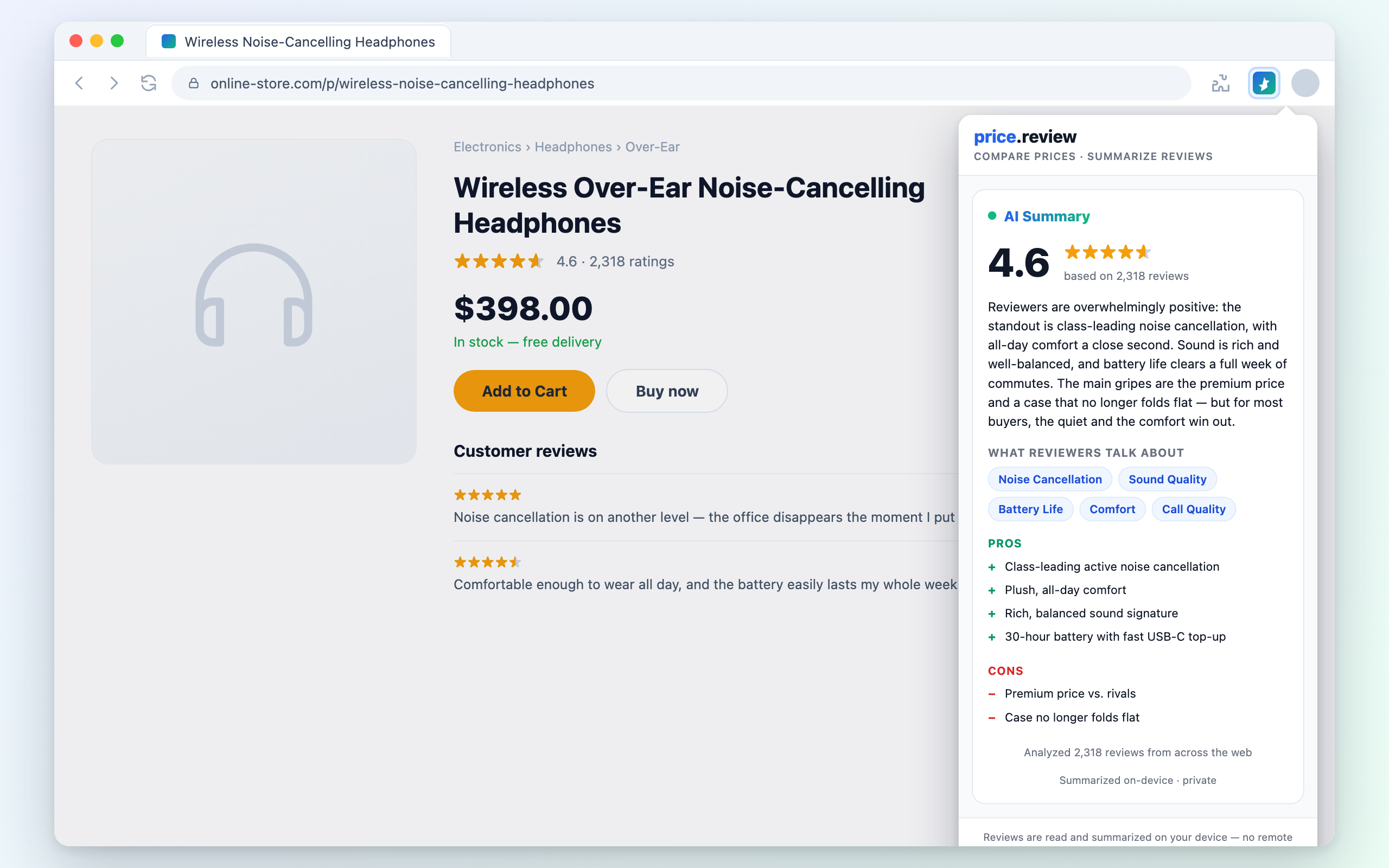
3Get the verdict, pros, cons & a real rating
A short summary: the verdict, what reviewers actually talk about, the pros and cons, and a true average rating across stores.
Why a browser extension?
Runs as you, in your browser
A website can't read Amazon or Walmart pages — cross-origin rules block it. An extension can, because it runs in the page's own context with your session and IP, the same way our iOS app uses an in-app web view.
Private by design
Every review is read and summarized locally. The verdict, pros and cons are computed on your device — nothing about what you’re shopping for is sent to our servers. Compare and watchlist do open price.review, because that is where the price sweep and your list live.
Reads the whole web, one summary
It reads the actual on-page reviews and aggregate star ratings from across the web, then distills them into one short summary — a clear verdict with pros and cons. The engine is TF-IDF, PageRank and a polarity lexicon running on your machine: no remote model, and no review text leaving your browser. The sweep runs in the background, so closing the popup never loses your place.
Load it yourself
Until the one-click Chrome Web Store install is live, you can load the extension manually in under a minute. It’s the same package — just loaded unpacked.
- 1
Download the extension
Grab the unpacked extension folder (a small ZIP). Nothing to compile — it is plain HTML, CSS and JavaScript.
- 2
Open chrome://extensions
Paste chrome://extensions into your address bar (works in Chrome, Edge, Brave and other Chromium browsers).
- 3
Turn on Developer mode
Flip the “Developer mode” switch in the top-right corner of the extensions page.
- 4
Load unpacked
Click “Load unpacked”, then select the unzipped price-review-extension folder. Pin it to your toolbar and you’re done.
chrome://extensions → Developer mode → Load unpackedAnalyzed in your browser — nothing sent to our servers. The summarizer (TF-IDF + PageRank + a polarity lexicon) is the exact same engine that powers our on-site reviews, ported to run entirely on your device.
It summarizes reviews, not prices. For what a product costs right now, use the price comparison tool — no install, and it reports which stores actually returned a price.